Dozens of email accounts: learning AI coding tools as a student
· 7 min read · by Rahul Dhileep Kumar
Learning AI coding tools as a student, the messy way: we chased free trials before we knew Claude or Codex. What it taught me about picking AI coding assistants, prompting and building.
Let me confess something.
Early on, we had dozens of email accounts.
Not for spam. Not for anything shady.
For free AI trials.
This post is about learning AI coding tools as a student.
No budget. No clue. Lots of inboxes.
It's also about what that chaos actually taught me.
Spoiler: the lesson is not "make fifty email accounts".
The great free trial hunt
Here's what our learning strategy looked like.
Find an AI tool.
Sign up for the free trial.
Use it until the trial ends.
Make a new email.
Repeat.
When we ran out of our own accounts, a few friends lent us theirs.
My friends were very generous.
Possibly too generous.
It was less elegant than it sounds.
It worked.

Photo: Chirayu Trivedi on Unsplash
Why we did it
The honest reason is simple.
We didn't know how to use Claude or Codex yet.
We didn't know which tool was good at what.
We definitely didn't have money for every subscription.
So we tested everything.
Some tools were brilliant.
Some were brilliant at sounding brilliant.
A few were just autocomplete with a marketing budget.
You only learn the difference by using them.
We were hardly the only curious ones.
The Stack Overflow 2025 Developer Survey asked developers about AI.
84% said they use or plan to use AI tools.
Only 33% said they trust the accuracy of those tools.
46% said they actively distrust it.
So nearly everyone uses them, and plenty don't trust them.
That gap is the whole story of learning these tools.
I learn by touching things
This is how my brain works.
I don't read the manual first.
I touch the thing until it makes sense.
I do it badly first, on purpose or otherwise.
Sometimes the thing breaks.
Sometimes I break.
Usually, by the end, I understand it.
Nothing about my path was planned, by the way.
I was a bio-maths student in class 12, then ended up in computer science.
Free trials suited a brain like mine.
Low cost. High chaos. Fast learning.
The first night of building Track My Academy had the same energy.
A MacBook Air, a second-hand iPhone, ChatGPT and VS Code.
Mostly research, then a landing page I actually liked.
Why I was building it myself at all is its own saga.
That's in the app that arrived from 2006.
How to evaluate AI coding assistants without fifty inboxes
Here's the version I'd hand to a student today.
Give every tool the same small, real task.
Not "build me Instagram".
Something like a form, a bug fix, or one API route.
Then check these things:
- Does it read your code? Some tools guess. Guessing is expensive.
- Does it explain itself? If you can't follow the change, you can't own it.
- Does it admit doubt? Confident nonsense is the worst kind of nonsense.
- What happens when it's wrong? Paste the error back and watch how it recovers.
- What does it cost after the trial? The free tier is the trailer, not the film.
The same survey has a lovely detail here.
The top frustration, for 66%, was answers "almost right, but not quite".
Almost right is the danger zone.
It's where a student copies, pastes, ships and cries.
Fully wrong is easy to spot.
Almost right walks straight into production wearing a fake moustache.

Photo: Vitaly Gariev on Unsplash
Prompting is just clear thinking
After enough trials, patterns start to show.
The biggest one: good prompts are just clear thinking.
If I can't explain what I want, the AI can't either.
Turns out, that's also true for humans.
Anthropic's own prompting best practices say roughly the same.
They suggest treating Claude like a brilliant but new employee.
Brilliant, yes. But missing all your context.
Their golden rule: show your prompt to a colleague with minimal context.
If the colleague would be confused, the model will be too.
That's not some secret AI trick.
That's just writing a decent ticket.
Here's a simple prompt shape I'd suggest to any student:
- What you're building, in one sentence.
- What already exists: files, stack, the exact error.
- What "done" looks like.
- What it must not touch.
The last one saves more pain than the other three combined.
AI tools love "helpfully" rewriting files you never mentioned.
What all those trials taught me
AI is a tool, not a teammate.
It doesn't know your product.
It doesn't care about your deadline.
You still have to think.
Every tool has a personality.
Some write great code and terrible explanations.
Some explain beautifully and then write broken code.
Knowing which is which saves hours.
The tool matters less than the person using it.
A good developer with a basic tool beats a confused one with every tool.
Curiosity compounds.
Later, I built a personal offline coding-agent experiment.
Electron, React, Ollama and the Monaco editor.
It was inspired by Claude Code and Bolt.
The point was to explore the limits of contextual memory.
You don't build that unless you've poked a lot of tools first.
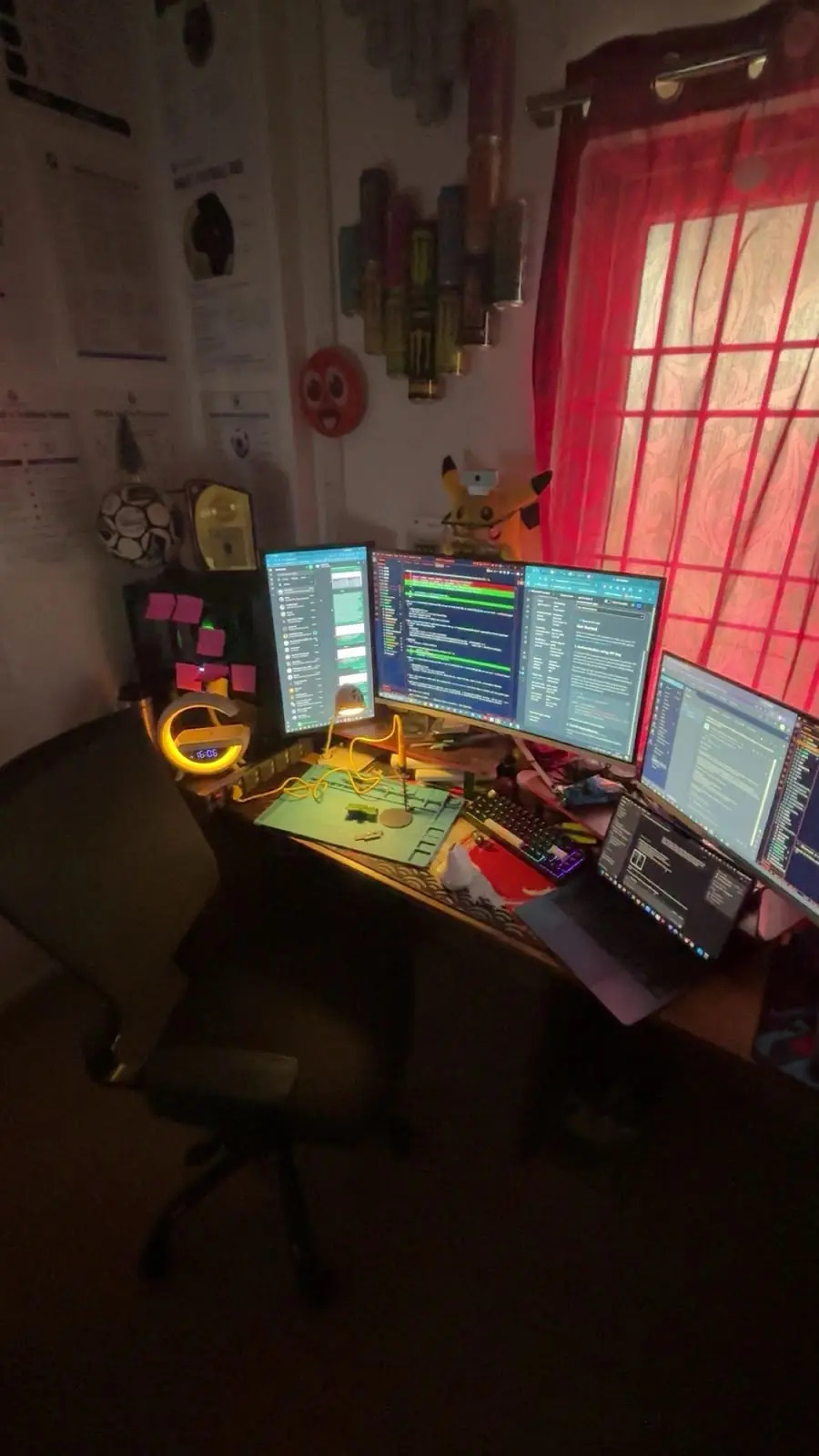
If you're curious what the battle station looks like, see three monitors, one Monster can.

Photo: Jakub Żerdzicki on Unsplash
Free and student plans for AI tools: the legit route
Please don't take the email thing as a tutorial.
Read the terms of service of whatever you sign up for.
If the terms say one trial per person, that means one.
Respect them. Breaking the rules is not a growth hack.
The good news: students have proper options now.
GitHub's Student Developer Pack bundles tools and offers for students.
Some offers are free while you're a student.
Others are credits, discounts or time-limited trials.
GitHub's docs also say verified students get free access to Copilot's features.
GitHub rechecks that eligibility every month.
The Copilot plans page lists what each plan includes.
Offers change, though.
Read the official page, not a random thread from two years ago.
My free advice, which is worth exactly what you paid:
- Start with official student programmes.
- Use free tiers honestly: one account per human.
- Ask your college whether it already has licences.
- Pay for one tool once it saves you real hours.
And please, don't pay for "training" dressed up as an internship.
I've already made that mistake for you.
Learning by building beats learning by watching
Don't wait until you can afford the perfect setup.
Start with whatever you can get your hands on.
Learn by doing it badly first.
Pick one tiny project.
Ship it to one real person.
Let the AI help, but read every line it writes.
When it breaks, and it will, you'll learn more than any course.
I wrote about the most expensive version of that in the night I broke production.
I did it badly for a long time.
Now I do it slightly less badly.
That's called progress.
FAQ
What's the best way of learning AI coding tools as a student?
Build one small, real project with one tool.
Read every line it produces.
Then give a second tool the same task and compare.
Are there free AI coding tools for students?
Some, yes.
GitHub's docs say verified students get free access to Copilot's features.
Check the official pages, because student offers change.
Should I make multiple email accounts for free trials?
No.
Read the terms of service and respect them.
Our trial hunt is a confession, not a strategy.
Sources
- Stack Overflow 2025 Developer Survey: AI
- Claude prompting best practices
- GitHub Student Developer Pack
- GitHub Docs: Copilot for students
- GitHub Docs: Copilot plans
What next
Want the origin story? Read how a coach's complaint became a company.
Run a sports academy? Have a look at Track My Academy.
It's published by TrackMy Tech, where I'm Executive Director.
Student founder who wants to talk tools? Book a call.